How Pippit’s Seedance 2.5 Uses Reference Inputs to Create Better AI Videos
Creating AI-generated videos is no longer just about writing a good prompt. Visual composition has become one of the biggest factors separating average AI videos from professional-looking productions.
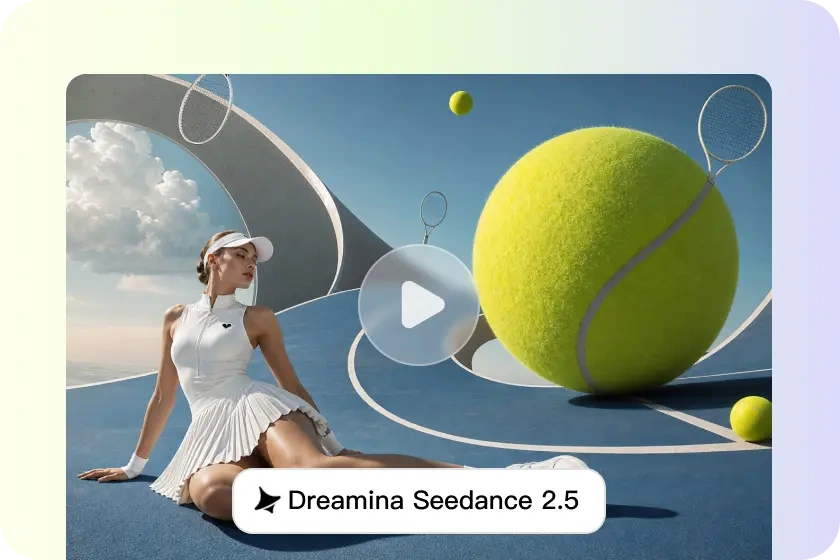
Pippit is highlighting how its Dreamina Seedance 2.5 AI video model uses multi-modal reference inputs to help creators produce videos with stronger framing, balanced scenes, consistent subject placement, and smoother storytelling.
Instead of relying entirely on text prompts, the platform allows users to upload reference images, videos, and other visual materials that guide the AI throughout the generation process.
Reference Inputs Give Creators More Control
Composition determines how visual elements are arranged within every frame. It influences where subjects appear, camera perspective, spacing, balance, and how viewers naturally follow the story.
According to Pippit, reference-guided generation allows creators to define these visual elements before production begins.
Rather than leaving important creative decisions entirely to AI interpretation, users can provide examples that establish preferred layouts, framing, lighting, artistic style, and overall mood. This reduces unexpected scene changes while keeping visual storytelling consistent from beginning to end.
The result is AI-generated videos that feel more natural, organized, and cinematic.
How Reference Materials Improve AI Video Quality
Reference inputs provide the AI model with visual context that improves several important aspects of video generation.
Some of the biggest improvements include:
- More consistent placement of characters and products across multiple scenes.
- Better visual balance within every frame.
- Smoother transitions between shots.
- Consistent lighting, color grading, and artistic style.
- Reduced visual clutter that keeps attention on the main subject.
- Improved long-form scene continuity throughout extended video sequences.
Seedance 2.5 also expands these capabilities by improving realistic motion rendering, scene understanding, and longer continuous video generation while maintaining stable visual composition.
Best Practices for Better AI Video Composition
Creators can improve their results by following a few simple guidelines when preparing reference materials.
These include:
- Maintain one clear visual style throughout the project.
- Upload high-quality images or videos with proper lighting.
- Choose references that emphasize framing instead of busy backgrounds.
- Keep camera angles consistent across all reference materials.
- Combine detailed text prompts with visual references.
- Review generated scenes carefully and make adjustments where necessary.
Using a consistent creative direction helps the AI produce more accurate and visually cohesive results.
Creating Better Videos With Seedance 2.5
Pippit outlines a straightforward workflow for generating AI videos using reference-guided composition.
Prepare Your Prompt
Users begin by signing into Pippit and opening the Video Generator.
A detailed prompt should describe:
- Scene composition
- Camera angles
- Visual style
- Overall tone
- Subject positioning
The more descriptive the prompt, the better the AI understands the intended result.
Upload Reference Materials
After entering the prompt, users can upload:
- Images
- Video clips
- Files
- External links
- Reference videos
The uploaded materials act as creative guides, helping Seedance 2.5 maintain similar composition, framing, and visual style throughout the generated content.
Users can then select video length, language, aspect ratio, and choose the Dreamina Seedance 2.5 model before generating the video.
Review, Edit and Export
Once generation is complete, creators can preview the finished video before making further adjustments.
Built-in editing tools allow users to:
- Crop scenes
- Stabilize footage
- Adjust colors
- Replace backgrounds
- Fine-tune composition
Videos can then be downloaded or published directly to supported social media platforms.
Better Prompts Produce Better Composition
Reference images alone are not enough to achieve professional-looking AI videos.
Pippit recommends writing prompts that clearly define visual priorities.
Instead of using vague descriptions, creators should specify:
- Exact subject placement
- Camera shot types such as close-up, medium, or wide shot
- Scene hierarchy
- Movement between scenes
- Timing for composition changes in longer videos
Clear prompts work together with visual references to produce smoother storytelling and more consistent framing.
Advanced Features That Strengthen Video Generation
Reference-guided composition becomes even more effective when combined with several advanced features available inside Seedance 2.5.
These include:
- Timestamp-based prompt controls for key visual moments.
- Continuous video generation lasting up to 30 seconds.
- Realistic rendering of lighting, textures, reflections, and materials.
- Cinematic camera movements that maintain stable framing.
- Green-screen background replacement during editing.
Together, these tools provide creators with greater flexibility when producing marketing videos, educational content, product demonstrations, and short-form visual stories.
Common Mistakes That Can Reduce AI Video Quality
Poor planning can still affect the final output, even with advanced AI tools.
Some of the most common issues include:
- Overcrowded scenes with too many competing visual elements.
- Inconsistent subject placement between shots.
- Mixing conflicting artistic styles in reference materials.
- Random camera positioning that weakens storytelling.
- Prompts that lack enough detail for the AI to understand the intended composition.
Avoiding these mistakes helps maintain cleaner visuals, stronger continuity, and a more polished final production.
As AI video generation continues to evolve, reference-guided workflows are giving creators much greater control over the final result.