Setting up automated lighting at home does not necessarily require rewiring an entire house or hiring an electrician. For beginners, smart bulbs and smart plugs provide relatively simple ways to control lights using a smartphone, schedules, or voice commands.
Start With Smart Bulbs
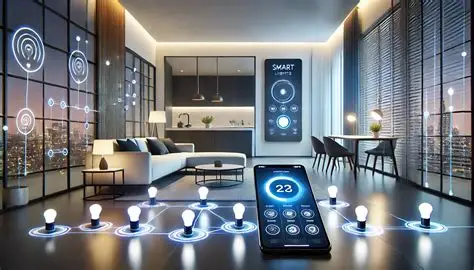
When setting up automated smart home lighting, start with smart bulbs rather than rewiring your entire house. Companies like Philips Hue and more budget-friendly alternatives offer bulbs that can connect to your home Wi-Fi with an accompanying app.
Simply screw the smart bulb you’ve purchased into a compatible light fixture and follow the prompts in the accompanying app. Depending on the product, setup may involve pressing a button or switching the light switch on and off a few times to prompt the bulb to connect to your home network.
Create Lighting Schedules and Scenes
Once you’ve set up the bulbs, it’s a matter of setting up schedules within the app. You can arrange for lights to turn off at a specific bedtime, turn on around sunset, or follow other routines based on your daily schedule.
Many smart lighting systems also allow you to create scenes. For example, you can have the lights in your living room use one color and brightness while another room uses a different setting.
These scenes can be useful for relaxing, working, watching television, or creating different lighting environments without manually adjusting every bulb.
Connect Smart Lights to Voice Assistants
Connecting the bulb to a voice assistant such as Amazon Alexa or Google Assistant usually entails linking the bulb’s app to the voice-assistant app.
Once connected, you can verbally tell the lights to turn on or off or change their settings. This can be particularly convenient if you have a lamp in an entryway or another location where reaching the physical switch is inconvenient.
Automate Existing Lamps With Smart Plugs
If you’re looking to automate your existing lamps rather than buy new smart bulbs, buying a smart plug and plugging your existing lamp into it allows you to schedule or voice-control the lamp turning on or off without having to buy new bulbs.
It’s also a good idea to test smart home automation in one or two rooms before investing in an entire house’s worth of smart bulbs or plugs. Starting small makes it easier to troubleshoot connection problems, understand the app, and decide which automation features are actually useful before expanding the system.