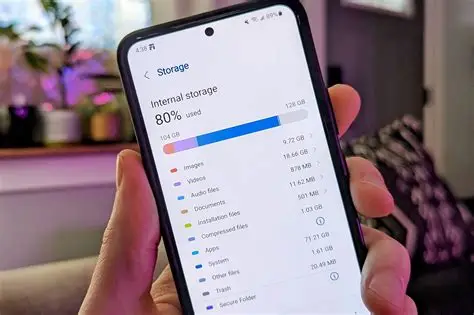
Low-storage warnings keep interrupting older Android phones even when the user has not installed new apps recently. Cached files, WhatsApp media and leftover update packages can quietly eat up space faster than most people notice.
Open Settings, then Storage, and wait for the breakdown to load.
Tap Cached data or Junk files and clear the listed items.
Go to Apps, select WhatsApp, then Storage, and clear cache only, not data. Repeat for Chrome, Telegram and any gallery app.
Open the Files or My Files app and delete large downloaded videos or APK installers you no longer need.
Move important photos to Google Photos or a USB drive, then remove the local copies.
Restart the phone after the cleanup so the system recalculates free space.
If the warning remains, uninstall unused apps from the same storage screen. Keep automatic media download turned off inside WhatsApp under Storage and data.
These cache-clear, media-move and app-removal steps can free enough space for normal use while keeping important files intact, without jumping straight to a factory reset.