
Have you ever noticed that your internet download speeds crawl to a stressful minimum when downloading large files on mobile networks like MTN or Glo, but become faster after connecting to a VPN server in the United Kingdom?
There can be several technical explanations for this difference. Network congestion, routing, server limitations, traffic management and VPN routing can all affect the speed of a download.
This comprehensive guide explains the main factors behind inconsistent download performance and outlines practical techniques for testing and improving your setup.
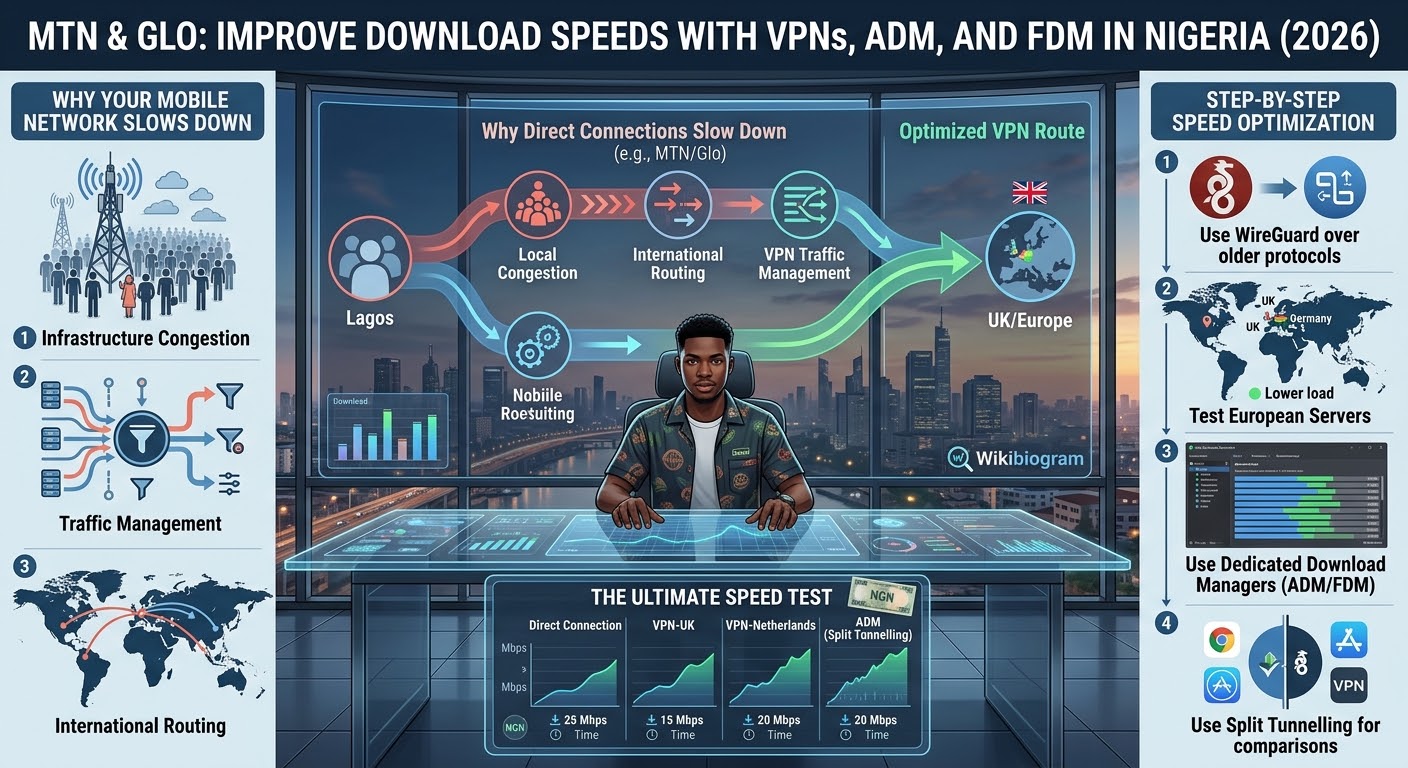
Why Do Mobile Networks Slow Down Downloads?
Before implementing speed-optimisation techniques, it is helpful to understand how mobile networks handle data traffic.
1. Network Traffic Management
Mobile operators can manage network traffic to prevent congestion and maintain service for large numbers of users.
Some forms of traffic management may affect particular applications, services or usage patterns. However, it is not safe to assume that every slow download is caused by deep packet inspection or deliberate throttling.
A slow connection can also result from tower congestion, weak signal, limited spectrum or the server providing the file.
2. Local Infrastructure Congestion
When downloading files through a standard mobile connection, your traffic passes through network infrastructure shared with other users.
During peak periods, local network gateways and radio resources can become congested. This can result in higher latency and lower throughput.
Changing location, moving closer to a stronger signal or trying the same download at a different time can sometimes make a larger difference than changing software settings.
3. International Routing
Many file-hosting platforms and cloud services use servers located outside West Africa.
When a Nigerian connection accesses an overseas server, the traffic can travel through several networks before reaching the destination. Different routing paths can produce different levels of latency and throughput.
This is one reason a VPN connection can occasionally perform differently from a direct connection.
How a VPN Can Change Your Download Speed
A VPN creates an encrypted connection between your device and a VPN server.
Depending on the route, this can sometimes change the way your traffic reaches the destination server.
It Can Change What the Network Sees
Because a VPN encrypts traffic between your device and the VPN endpoint, the mobile network has less visibility into the contents of that traffic.
This can affect how some traffic-management systems classify the connection. However, a VPN does not guarantee that throttling will disappear.
It Can Change Network Routing
A VPN changes your apparent point of connection and can send traffic through a different route.
If the normal route is congested while the VPN route is less congested, the VPN may perform better. In other cases, the additional VPN hop can make the connection slower.
It Can Connect Through a Different Internet Hub
Selecting a VPN location such as the UK can change the path between your device and a European-hosted service.
The result depends on the physical location of the VPN server, the quality of the VPN provider’s network and the route between Nigeria and that server.
Step-by-Step Download Speed Optimisation
Step 1: Select WireGuard
If your VPN supports WireGuard, try it instead of older protocols such as OpenVPN.
WireGuard is designed to be lightweight and efficient, although actual performance depends on the device, server and network.
Step 2: Test Different VPN Locations
Do not automatically choose the nearest server.
For downloads hosted in Europe, test locations such as the UK, Netherlands and Germany.
Try servers with lower reported loads where the VPN app provides that information.
Step 3: Use a Dedicated Download Manager
Browsers can handle ordinary downloads effectively, but dedicated download managers such as ADM and FDM provide additional control.
They can divide supported downloads into multiple segments and request those segments simultaneously.
A simplified example looks like this:
File on Server → Multiple Segments → Simultaneous Download → Reassembled File
However, increasing connections does not guarantee faster speeds. Some servers limit parallel connections, while excessive connections can actually reduce performance.
Step 4: Test Split Tunnelling
If your VPN supports split tunnelling, you can choose which applications use the VPN.
For example, you could route ADM or FDM through the VPN while keeping messaging and social media applications on the normal connection.
This can make it easier to compare VPN and non-VPN performance.
The Most Important Speed Test
The best way to find the right setup is to test each configuration using the same file and server.
Compare:
- Direct mobile connection
- VPN connected to the UK
- VPN connected to the Netherlands
- VPN connected to Germany
- Different download-manager connection counts
- Different times of day
This gives you real data about what works on your specific MTN or Glo connection instead of relying on a universal claim that one VPN or setting will always produce the fastest download speed.